FOR GAP, MOMENTUM AND INTRADAY TRADERS USING AGENATRADER

Find gap trading setups. Without checking every chart.

Price gaps appear across the market at the open. Which ones fit your trading approach? GapFinder detects gap-ups and gap-downs and helps you narrow your search to the setups that matter to you.

Filter by gap size and fill percentage, monitor momentum and countertrend signals, and use the AgenaTrader scanner to track multiple instruments. Spend less time searching and more time evaluating potential trades.

  • Find gaps faster - with automatic detection on charts and in the scanner
  • Focus on relevant setups - filter by gap size, direction and fill percentage
  • Monitor two trading approaches - with momentum and countertrend signals

For AgenaTrader · Currently available as a one-time purchase

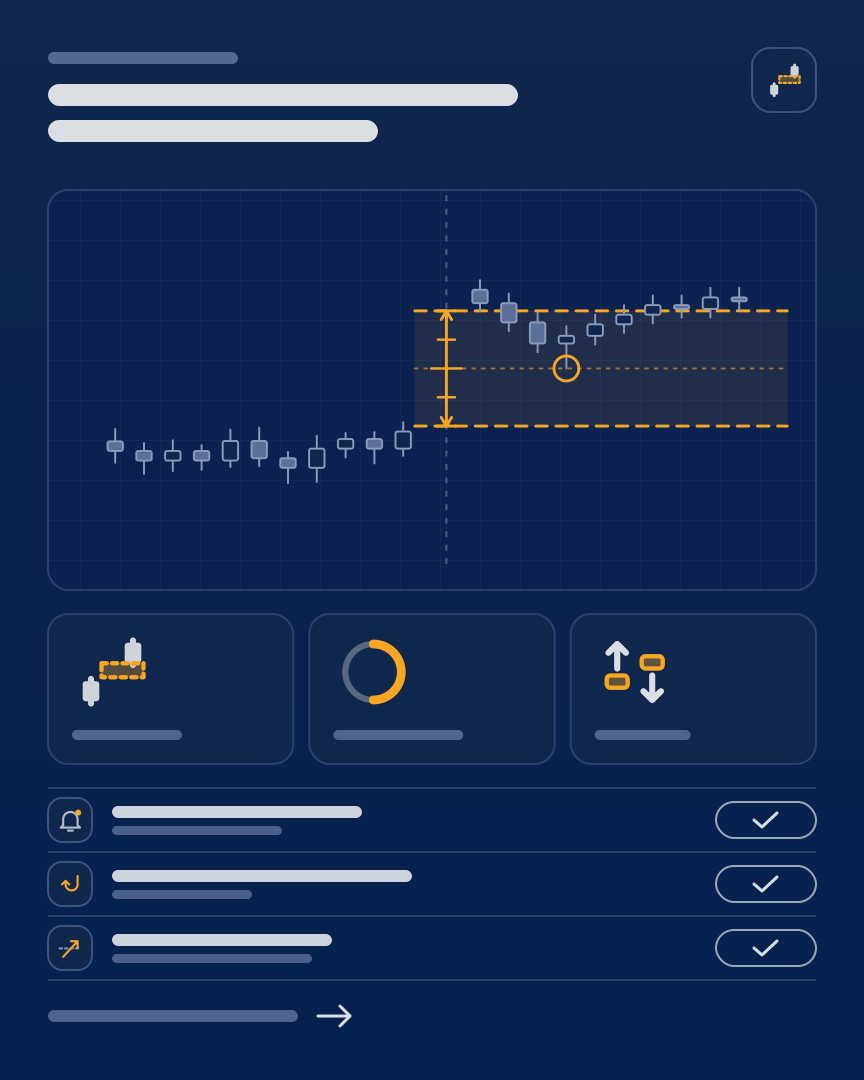
GapFinder as a measurement sheet: a measured price gap on the chart, below it the size, fill level and direction of the gap
Dejan, founder of ThinkAndTrade

About me

DejanFounder of ThinkAndTrade and former AgenaTrader employee

I spent five years at AgenaTrader and have developed my own indicators and trading tools through ThinkAndTrade. An important part of that work has been simplifying recurring steps in market analysis.

That is what GapFinder is designed to do: highlight price gaps, filter them by your criteria and track different gap trading approaches on charts and in the scanner. The decision to take a trade remains yours.

01 · THE CHALLENGE

At the market open, you want to evaluate opportunities, not hunt for them.

Price gaps can provide starting points for momentum and countertrend trades. But when you monitor many instruments, you first need to locate relevant gaps, compare their size and check how much of each gap has already filled.

GapFinder takes some of that repetitive searching off your hands. You define the criteria, get the relevant gap information and decide which setups fit your method.

COMMON CHALLENGES IN GAP TRADING
  • Too many charts: Searching individual instruments for gap setups takes time.
  • Different gap sizes: Not every price gap is relevant to your trading approach.
  • Gaps change as they fill: Price may already have retraced part of the gap.
  • Different setups: Momentum continuation and potential reversals call for different criteria.
02 · HOW IT WORKS

From a price gap to a trading setup.

GapFinder combines gap detection, filters, signals and scanner templates. It makes shortlisting easier without making the trading decision for you.

  1. Step 1

    Choose your markets

    Select the instruments and timeframes you want to monitor on charts or in the scanner.

  2. Step 2

    Filter price gaps

    Define which gap-ups and gap-downs matter to you based on their size and fill percentage.

  3. Step 3

    Monitor signals

    Use momentum and countertrend signals on charts and in the provided scanner templates.

  4. Step 4

    Evaluate potential setups

    Consider price action, volume and the broader market before making your own trading decision.

Two approaches, one GapFinder

Momentum trading focuses on potential continuation after a gap. Countertrend trading looks for possible reversal setups after a gap has largely filled. Which approach is appropriate depends on your setup.

03 · FEATURES

Six features for your gap analysis.

From a quick overview to focused signal monitoring, GapFinder combines chart visualization, filters and scanning tools.

  • Feature 01

    Identify gap-ups and gap-downs

    Price gaps are highlighted on the chart, so you can see relevant gap zones without drawing them one by one.

  • Feature 02

    Filter by gap size

    Set a minimum gap size as a percentage and focus on the gaps that fit your method.

  • Feature 03

    Track how gaps fill

    See how much of a price gap has already closed and use the fill percentage in your selection criteria.

  • Feature 04

    Use momentum signals

    Find setups in which price breaks out from the gap in the trend direction on high volume.

  • Feature 05

    Use countertrend signals

    Monitor potential reversal patterns when a gap has largely filled.

  • Feature 06

    Scan multiple instruments

    Use gap data and trading signals in the AgenaTrader scanner with prepared workspaces and templates.

04 · GOOD TO KNOW

GapFinder helps you narrow the search. You make the decisions.

GapFinder supports the identification and evaluation of gap setups. Signals are analysis tools, not predictions of how likely a trade is to succeed.

Signals are not a promise of profit

Momentum and countertrend signals help identify potential setups. You still assess market conditions, risk and whether to trade.

Definitions and filters affect your results

Gap detection relies on price data and configurable criteria. The gaps displayed depend on factors such as timeframe, minimum size and settings.

The scanner needs the right setup

Scanner and chart results depend on the configured time windows, data and filters. Use the provided templates and documentation.

Stop management is planned

Gap-based stop rules and Fibonacci trailing are described as planned on the current product page. They are not part of the features available today.

Coaching is available separately

The product page lists workspaces, templates, documentation, support and community access. Personal coaching is a separate service.

05 · CUSTOMER FEEDBACK

What traders say about GapFinder.

  • [OPEN: name or initials]

    [OPEN: date]

    [OPEN: real customer quote about GapFinder, with the customer’s consent]

  • [OPEN: name or initials]

    [OPEN: date]

    [OPEN: real customer quote about GapFinder, with the customer’s consent]

  • [OPEN: name or initials]

    [OPEN: date]

    [OPEN: real customer quote about GapFinder, with the customer’s consent]

  • [OPEN: name or initials]

    [OPEN: date]

    [OPEN: real customer quote about GapFinder, with the customer’s consent]

06 · PRICING

Choose your GapFinder license.

GapFinder is currently available as a one-time purchase. Three- and six-month license options are planned. Purchases are processed through Digistore24.

3 MONTHS

Coming soon
[OPEN: 3-month price]3 months, coming soon

Planned features

  • GapFinder for the selected term
  • Gap detection and filters
  • Momentum and countertrend signals
  • Scanner and chart templates
  • [OPEN: updates and support for term licenses]
License term
3 months
Availability
Not yet available for purchase
Renewal
[OPEN: renewal terms]

Not yet available.

Coming soon

6 MONTHS

Coming soon
[OPEN: 6-month price]6 months, coming soon

Planned features

  • GapFinder for the selected term
  • Gap detection and filters
  • Momentum and countertrend signals
  • Scanner and chart templates
  • [OPEN: updates and support for term licenses]
License term
6 months
Availability
Not yet available for purchase
Renewal
[OPEN: renewal terms]

Not yet available.

Coming soon

ONE-TIME PURCHASE

€499including VAT, one-time payment

Included

  • GapFinder add-on for AgenaTrader
  • Gap-up and gap-down detection
  • Gap size and fill percentage filters
  • Momentum and countertrend signals
  • Scanner and chart templates
  • Documentation, updates and webinars
  • Community access and support
Payment
One-time
Total price
€499 including VAT
License rights
[OPEN: exact license terms]

Three- and six-month license options are planned and not yet available for purchase. Prices and terms will be added before launch.

The €499 price including VAT reflects the Digistore24 total shown for the one-time purchase at the time of review. The current checkout price is binding.

You can request a free, no-obligation trial here: Try GapFinder free.

07 · FREQUENTLY ASKED QUESTIONS

Frequently asked questions

Who is GapFinder designed for?

Day traders, momentum traders and swing traders who use price gaps in their analysis and want to identify and filter interesting setups more efficiently in AgenaTrader.

What is the difference between momentum and countertrend signals?

Momentum signals focus on breakouts from the gap in the trend direction on high volume. Countertrend signals relate to potential reversals after a gap has largely filled.

Can I use GapFinder in the AgenaTrader scanner?

Yes. The product page confirms scanner integration for gap detection and both signal types. Prepared scanner templates support the setup.

Can I control which gaps are displayed?

Yes. You can set the minimum gap size as a percentage and consider gap-fill levels in your analysis. Results depend on your criteria and market data.

Are automatic stops already included?

No. Gap-based stop rules and Fibonacci trailing are announced as future features on the current product page. They are not included in the features available today.

Are templates, documentation and support available?

Yes. The product offering includes a GapFinder workspace, scanner and chart templates, documentation, webinars, updates, support and community access. Personal coaching can be booked separately.

Can I try GapFinder before buying?

Yes. You can request a free, no-obligation trial through the ThinkAndTrade website. Refer to the trial offer for the applicable terms.

Which purchasing options are available?

A one-time purchase is currently available. Three- and six-month licenses are planned but cannot yet be purchased. The latest prices are shown at checkout.

Less time scanning charts. More focus on your next gap setup.

Filter gap setups by your own criteria, or try GapFinder without obligation.